Guided tour
AEMS, one step at a time.
Real AEMS screens of one synthetic depot, in the order you would use them: draw, check, find, understand, fix.
DEMO · NOT FOR OPERATIONAL USE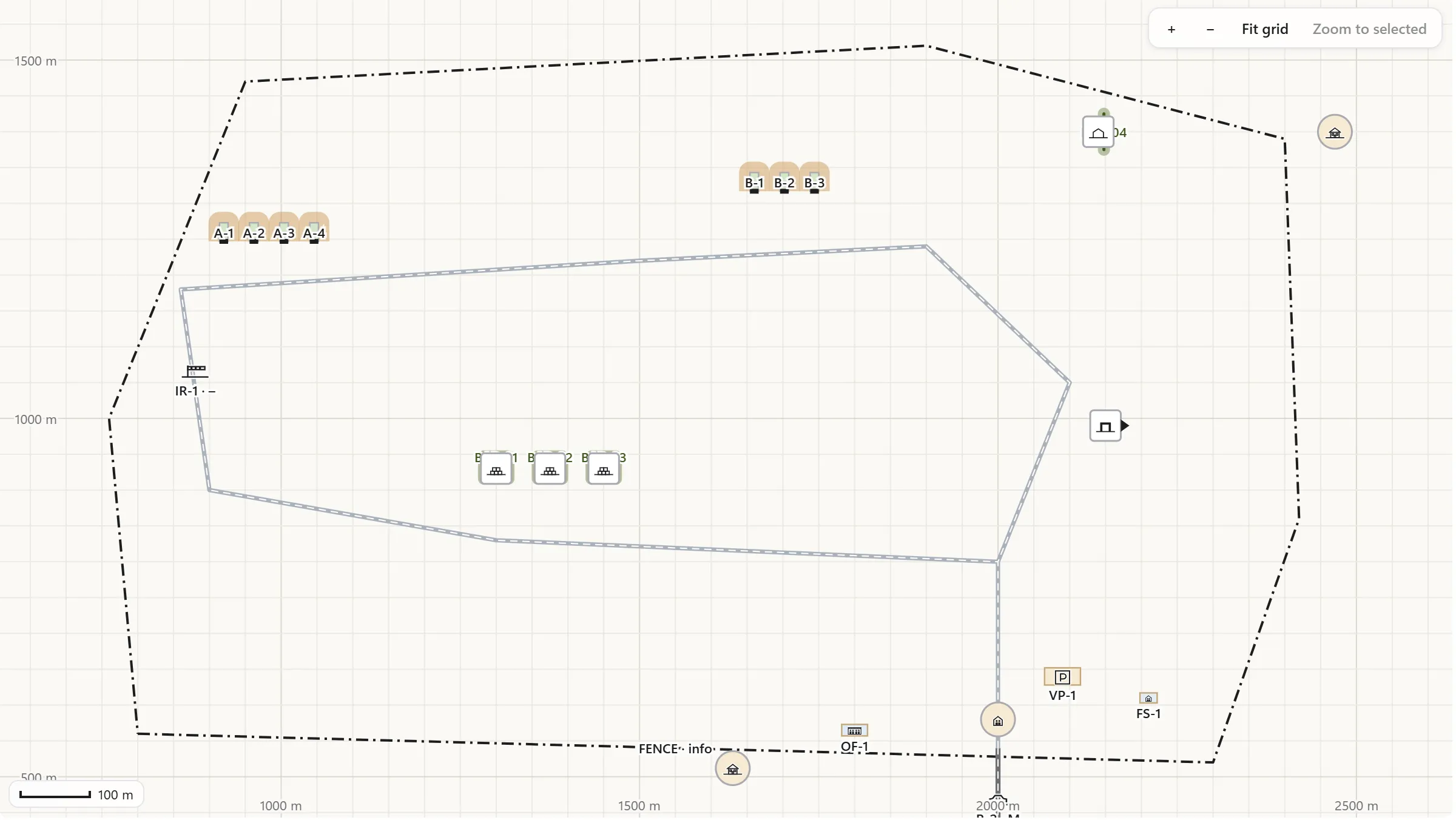
Step 1 of 7
Your depot, drawn to scale
Storages, buildings, roads and the fence on a local metric grid. Depot Golf is a synthetic depot: its names, places and contents are made up, and the distances are what AEMS works out for them.
Open this screen at full size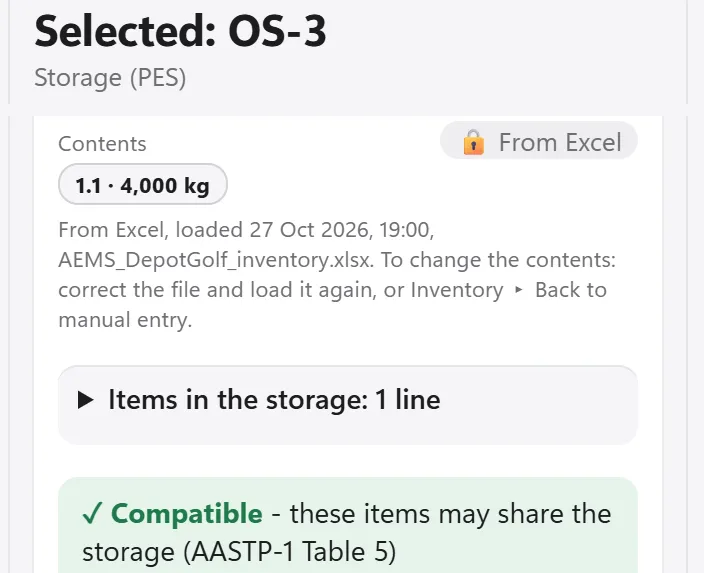
Step 2 of 7
What is inside
Each storage carries what it holds, here loaded from the site's Excel inventory: its hazard division, its net explosive quantity, and whether the items may share the storage under AASTP-1 Table 5.
Open this screen at full size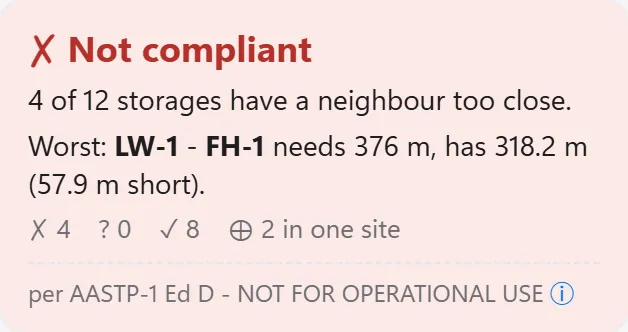
Step 3 of 7
One answer for the whole site
As soon as the site is drawn, AEMS measures the closest distance from every storage to each of its neighbours and gives one answer for the whole depot, the worst pair first.
Open this screen at full size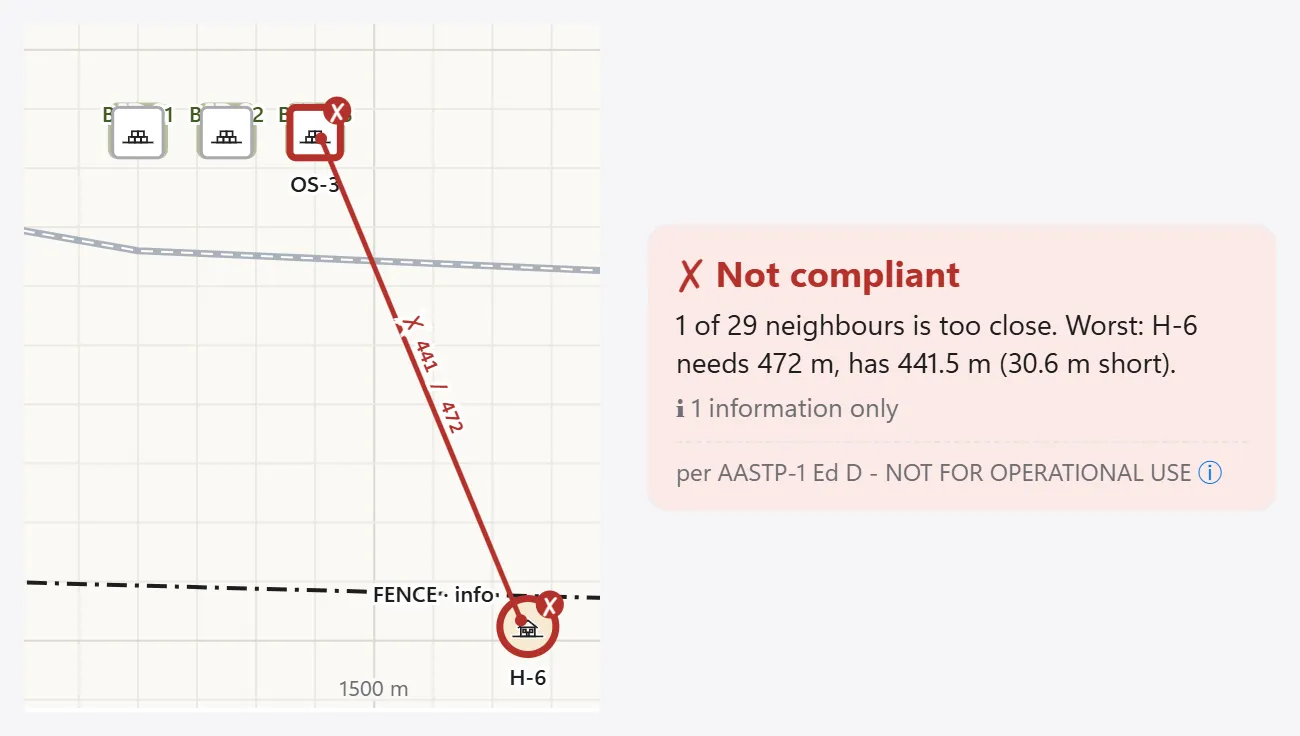
Step 4 of 7
It finds what is too close
Select a storage and AEMS names the neighbour that is too close, the distance it needs and the distance it has, on the map and in words.
Open this screen at full size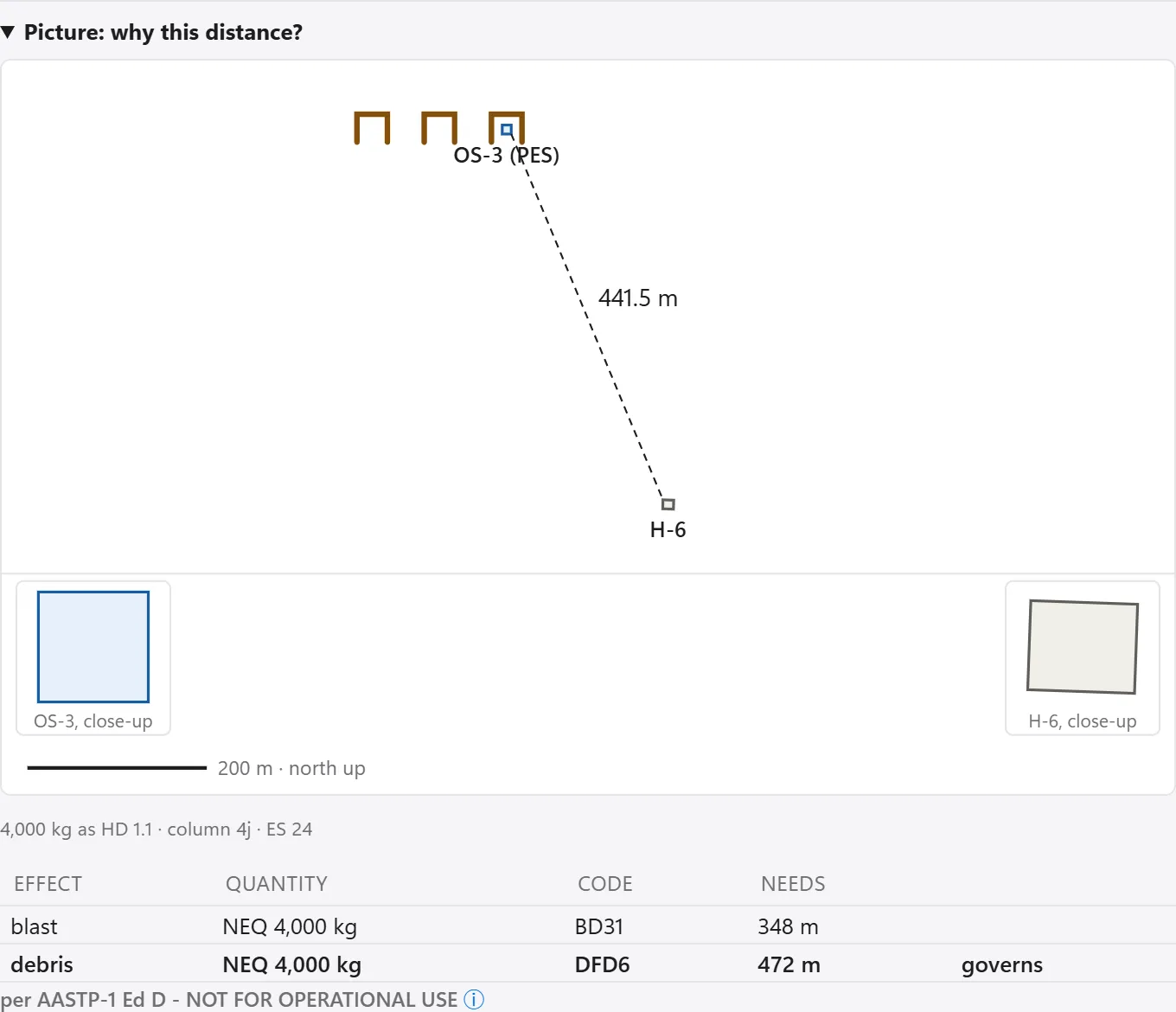
Step 5 of 7
Why this distance?
One click shows where the distance comes from: the effect that governs, the table column and the exposed-site type.
Open this screen at full size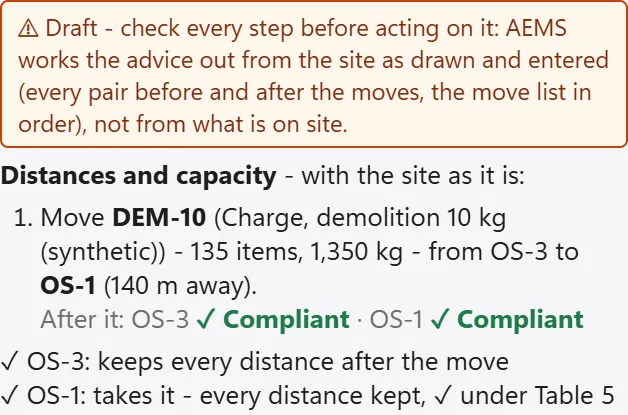
Step 6 of 7
What should I change?
AEMS suggests moves between the storages you already have, each checked on the whole site before and after. It is a draft: a qualified officer checks every step.
Open this screen at full size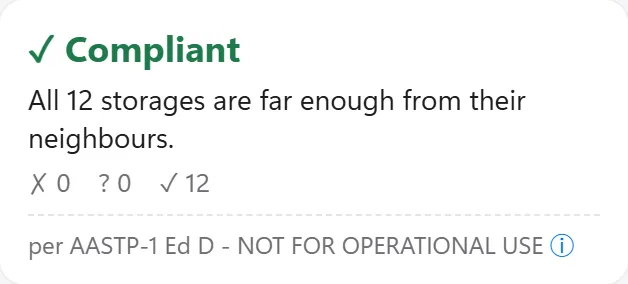
Step 7 of 7
Fixed
With this move and the fixes for the other storages, every storage keeps its distances. The forms, maps and door cards are ready to print, as drafts for a qualified officer.
Open this screen at full size
